
Introduction
Introduction
Display Form Entries allows you to display Gravity Forms submissions on the front end of your WordPress website.
With this plugin, you can turn form submissions into directories, listings, dashboards, table, or linked list views without writing custom code.

How Display Form Entries Works
- Entries are stored in the Gravity Forms database
- Display Form Entries does not duplicate or move data
- It simply pulls existing entries and renders them on your pages
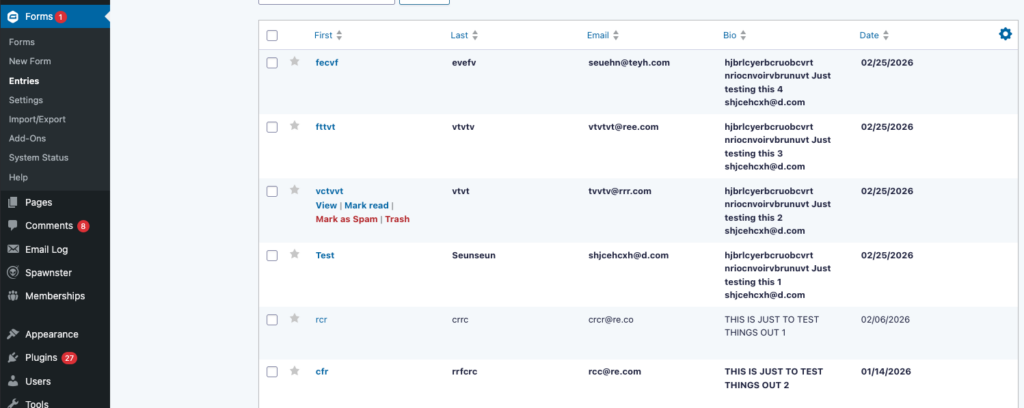
Frontend vs Backend Entries
Backend (Admin Area)
Entries are managed inside the WordPress dashboard under:
Forms → Entries
This is where administrators can view, edit, and manage submissions.
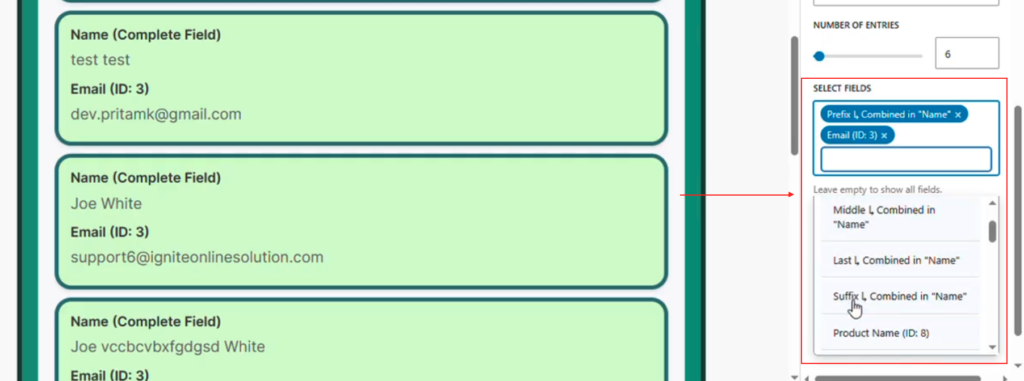
Frontend (Website Visitors)
Display Form Entries allows those same entries to be displayed on public pages using:
- Gutenberg blocks
- Page builder integrations
- Shortcodes
This allows site owners to present form data in a structured layout.
Important Notes
Display Form Entries is designed to work alongside Gravity Forms, not replace it.
Gravity Forms continues to handle:
- Form creation
- Entry collection
- Submission storage
Display Form Entries focuses only on how those entries are displayed on your website.