Introduction
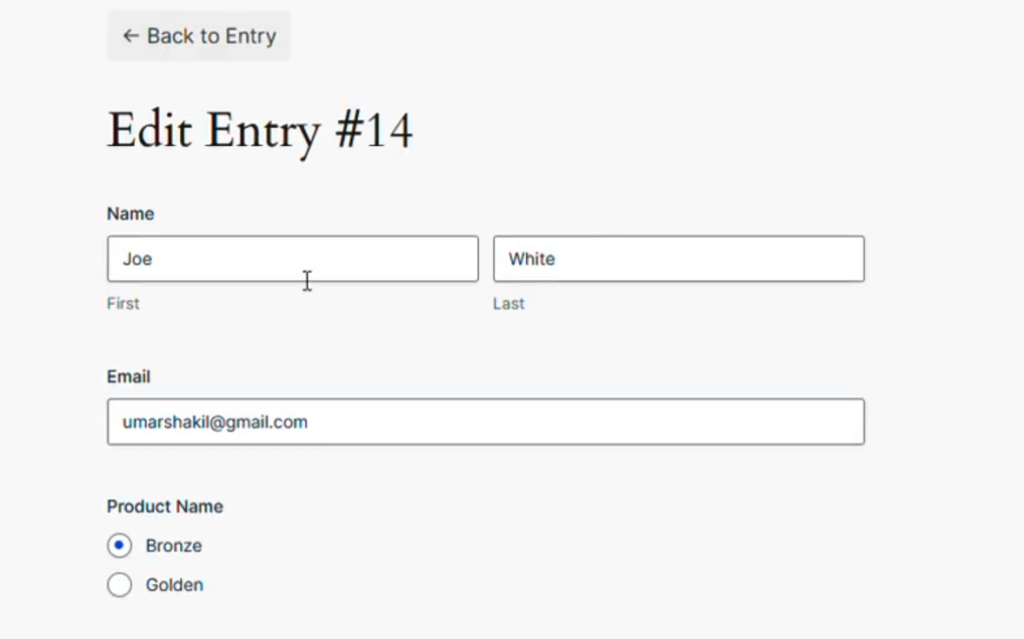
Display Form Entries Pro allows users to edit existing Gravity Forms submissions directly from the front end of your website.
When this feature is enabled, an edit icon appears next to each entry, allowing users to update the submission without needing access to the WordPress admin dashboard.
This feature is especially useful for:
- Member directories
- User profile listings
- Client portals
- Submission management dashboards
Requirements
Before using this feature, make sure:
- Gravity Forms is installed and active
- Display Form Entries Pro is activated
- A form has already collected submissions
- The form entries are displayed on a page using the Display Form Entries block
Enabling Frontend Entry Editing
Follow these steps to allow users to edit entries from the front end.
Step 1 — Edit the Page Containing the Entries
- Go to the page where you are displaying form entries.
- Open the page in the WordPress block editor (Gutenberg).
- Locate the Display Form Entries block.
Step 2 — Enable the Edit Option
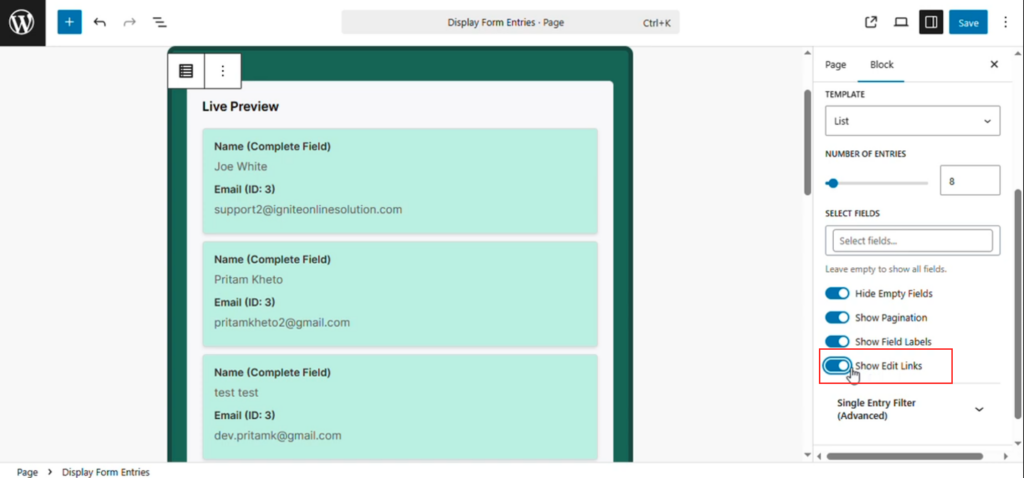
- Click the Display Form Entries block.
- In the right sidebar, open the Content tab.
- Find the option called:
Show Edit Links
- Toggle this option ON
Try refreshing the page after submitting the update.